How to use the new Vacation Mode
You should be able to relax a little bit about food choices when you’re traveling or it’s a holiday. With the new Vacation Mode in the WW app, now you can.
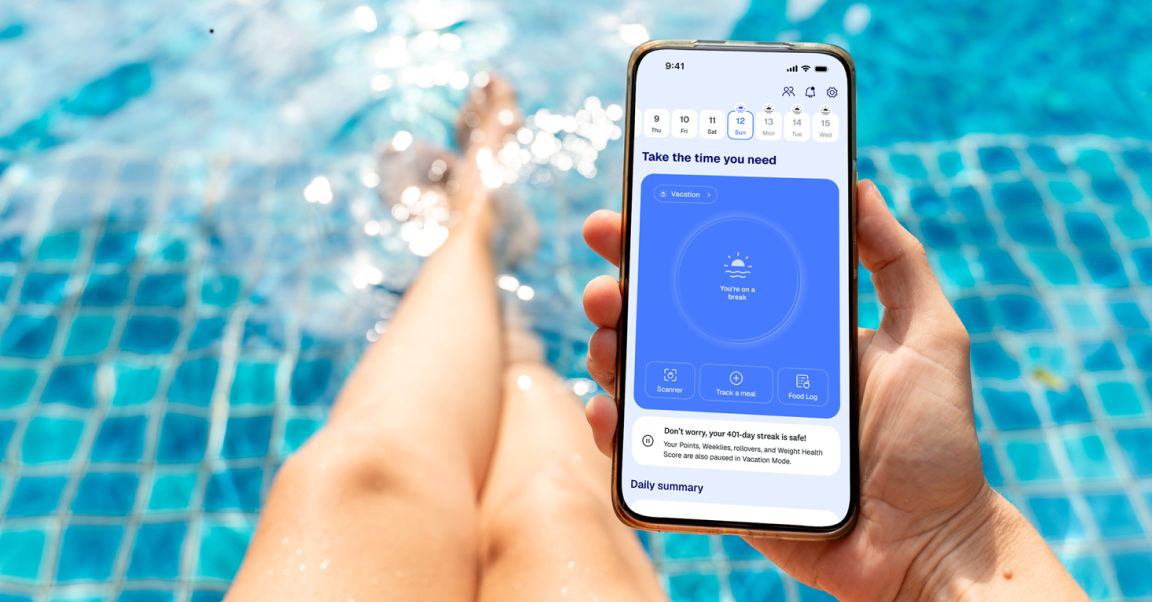
Whether you’re sipping margaritas at the beach or spending holidays eating together with family, vacation tends to be a time when you’re likely to fall allllll the way off the wagon. It's easy to want to keep the WW app closed when you know you’re probably not going to be within your typical Points Budget. Entirely stepping away, though, can make it even harder to get back on the wagon when your vacation ends. And now, you don’t have to.
Earlier this year, Weight Watchers launched Modes, a new way to adjust your settings to match your schedule, your motivation, and your needs. Backed by science, Modes give you a more flexible, livable, and realistic approach to weight management. And now, joining Lose Mode, Maintain Mode, and All-In Mode is our newest offering: Vacation Mode.
This means that instead of thinking of Weight Watchers as something you have to be “on” or “off” — you can now toggle to Vacation Mode and step down your program intensity for a few days or even pause tracking completely. You can also use it when you know you’re going to be out of routine because of holidays, work, schedules, or travel — anytime you need a few days to focus on something besides tracking, without losing your progress. Read on to learn more about this new mode.
What is Vacation Mode?
You know those oversized, floppy straw hats that say, “Out of Office”? Vacation Mode is kind of like wearing one of those: a signal that you’re consciously and intentionally taking a temporary break. Having this flexibility can help you deviate from your usual food routines during holidays and trips without feeling guilty or getting too far from your goals. When you toggle on Vacation Mode in the app, here’s what happens:
Set a vacation length of 1 to 14 days. It will kick in immediately — you’ll no longer see your standard Points Budget, which will be replaced with a paused “Vacation” ring. While in Vacation Mode, you won’t receive any notifications, so you can just relax without feeling guilty about ignoring messages.
Choose how much you want to track. The default setting is a full break, where you don’t track anything. But you can also choose to keep tracking one key wellness habit, such as logging your sleep, water, activity, or nutrition for one meal a day.
Don’t worry about losing your progress. When you’re in Vacation Mode, whether you track or not won’t affect your tracking streaks or your Weight Health Score for those who were in All-In mode.
Ease back in. When your vacation is over, you’ll get “welcome back” messages for the first five days to gradually help you get back into your routine of food tracking and weigh-ins.
Will I lose progress in Vacation Mode?
It’s true that taking a complete break from tracking — and changing your nutrition, sleep, and activity habits — can impact weight loss. But whatever you do (or don’t do) on vacation isn’t going to make or break anyone’s weight-loss journey. Travel, holidays, family demands, work cycles, and life transitions all create periods where it can be hard to prioritize tracking. We’re committed to supporting your journey with flexible Modes that reflect real life. If you’re in need of a break but are concerned about impacting your weight-loss journey, tracking one habit while you’re in Vacation Mode can help you stay engaged and smooth your transition when you return.
Where can I change my Mode?
Changing your Mode is simple. On your Weight Watchers app home screen, select the gear icon in the upper right corner of the app home screen and scroll down to Modes. You can set Vacation mode for up to 14 days. That’s it! We’ll send an app notification the first day you return to check in with you again and help you ease back into tracking.
The bottom line
When you know you’re going to be out of routine because of holidays, work, schedules, or travel, you don’t have to feel like you’re losing your progress. Vacation Mode can help you take a step back temporarily — and help you get back to your usual healthy habits when that period is over. Vacation Mode is one more way Weight Watchers’ Modes are adaptable to the roller coaster of life and will flex with you at every point in your journey.