How to Use the Barcode Scanner
Tracking has never been quicker or simpler.

How to Track Foods Using the Barcode Scanner
To quickly track a food, take advantage of one of the coolest features in the WeightWatchers® app, our barcode scanner.
For IOS
Tap the barcode icon next to the 'Search Food' bar at the top of your My Day screen.
Align the box that pops up on your screen with the product barcode until it scans (this should only take a few seconds).
If the item is a WeightWatchers-verified food (a food added by qualified WeightWatchers nutritionists), all of the information you need will display, including the Points value and nutritional data. Edit serving or portion size accordingly, then tap 'Track' to track to My Day.
For Android
Tap the barcode icon in the Search bar on your My Day screen.
Align the box that pops up on your screen with the product barcode until it scans (this should only take a few seconds).
If the item is a WeightWatchers-verified food (a food added by qualified WeightWatchers nutritionists), all of the information you need will display, including the Points value and nutritional data. Edit serving or portion size accordingly, then tap 'Track' to track to My Day.
Scan at the supermarket
In addition to helping you track your food, the barcode scanner also comes in handy at the supermarket! Use it to scan items on the shelves to find the Points value and decide whether it will fit into your Budget this week.
Advanced barcode scanning
Some foods are member-added
If you scan a barcode and it doesn't exist in our database, a selection of member-added foods similar to the item you scanned will display, which you can then choose to track.
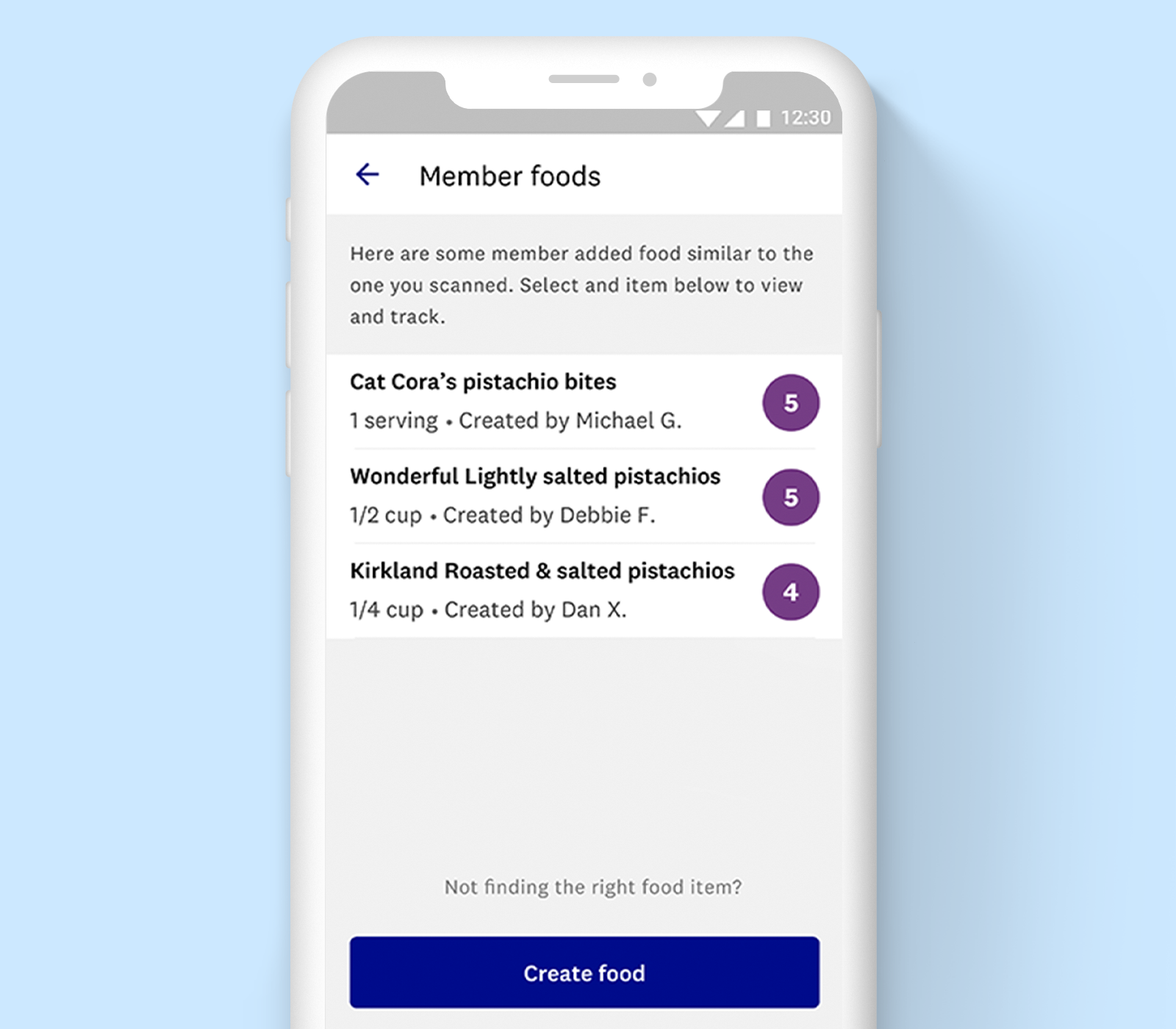
Crowdsourced foods are reliant on people inputting the data correctly, so can potentially be inaccurate. We recommend you cross-check nutritional data before tracking.
Crowdsourcing and ZeroPoint™ foods
When it comes to member-added or crowdsourced foods, the Points algorithm does not account forZeroPoint foods.
All Points values for WeightWatchers-verified foods containing ZeroPoint foods are calculated by our in-house team of qualified nutritionists, who adjust the Points value based on ZeroPoint ingredients.
If a member adds a food item that is a ZeroPoint food or contains a ZeroPoint food, the incorrect Points value will be generated.