How to Create a Meal and Build a Recipe in the WeightWatchers® App
It's so, so, so easy.

The Recipe Builder in the WW app lets you store your favorite meals for 3-tap tracking. Instead of adding up the PersonalPoints™ values for each ingredient (exhausting!) save it in the Recipe Builder. Here’s how simple it is.
Build a recipe in the WW app in 3 easy steps
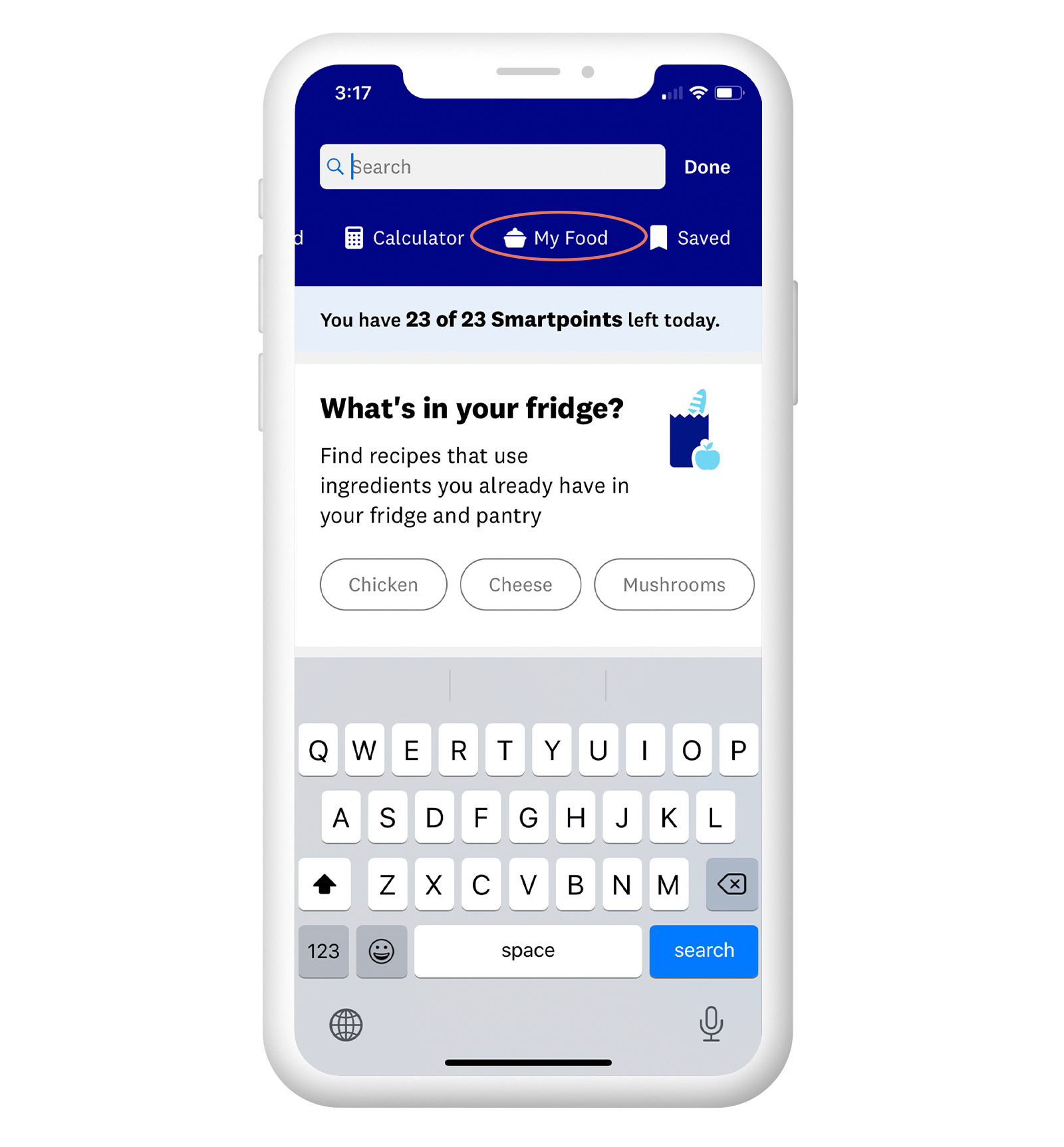
1.Tap the Search bar
You’ll see the bar at the top of the My Day screen in your WW app. There will be a row of options to scroll through—choose “My Food.”
2.Tap "Create"
Choose “Recipes,” then click “Create” in the top right corner. Take note of this screen—your saved recipes will live under the “Recipes” tab.

3.Add ingredients
Fill in the details of your recipe: Add a name, ingredients, and any steps you want to refer back to in the cooking process. Tap “Create” in the upper right corner, track the recipe, and you’re all set! It will be saved in the “Recipes” tab for the future.
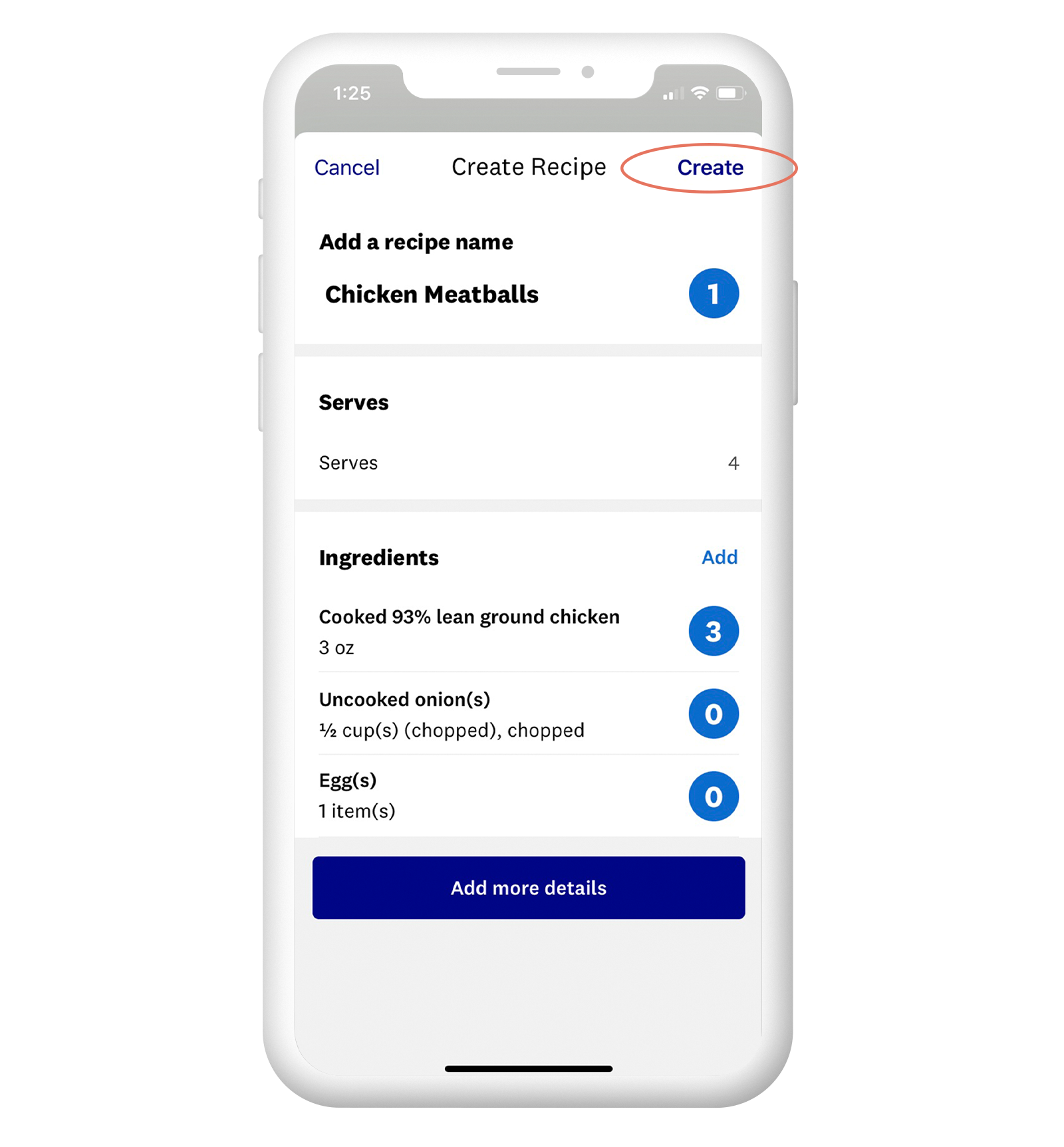
How to create a food in the WW app for faster tracking
Try this shortcut:
Tap on Search
Slide to "My Food"
Click "Create" and enter info
Did you know?
There are over 9,000 recipes in the WW app database? (Over 750 recipes are dessert!)
This year, eggs were the #1 tracked food.
“Recipes” is the most popular Connect Group with over 120,000 members (and growing!)