How to track a smoothie
Here's why and how you should be tracking smoothies.

First things first: why do you have to track smoothies?
You probably already know that building meals with ZeroPoint foods is a great way to stay in your Budget.
But you also might have noticed that your non-starchy veggies and fruit (if it’s one of your ZeroPoint foods) have Points® values when you track them in a smoothie. What evil sorcery is this? How do ZeroPoint blueberries come out of a blender…counting?
Fair question. It’s true that fruits and veggies are zero when you eat them whole. But once they become part of a smoothie, the experience of eating them changes. Here's why:
Drinking something eliminates the act of chewing, a critical step which can impact the “I’m full” signals between your belly and your brain.
This means that the smoothie or juice you’re drinking will not promote the same feeling of fullness between meals as eating the fruit or veggies.
Also, when you blend (or juice) fruits or veggies, it’s easier to consume more of the smoothie or juice than you would if you ate that same fruit or vegetable whole.
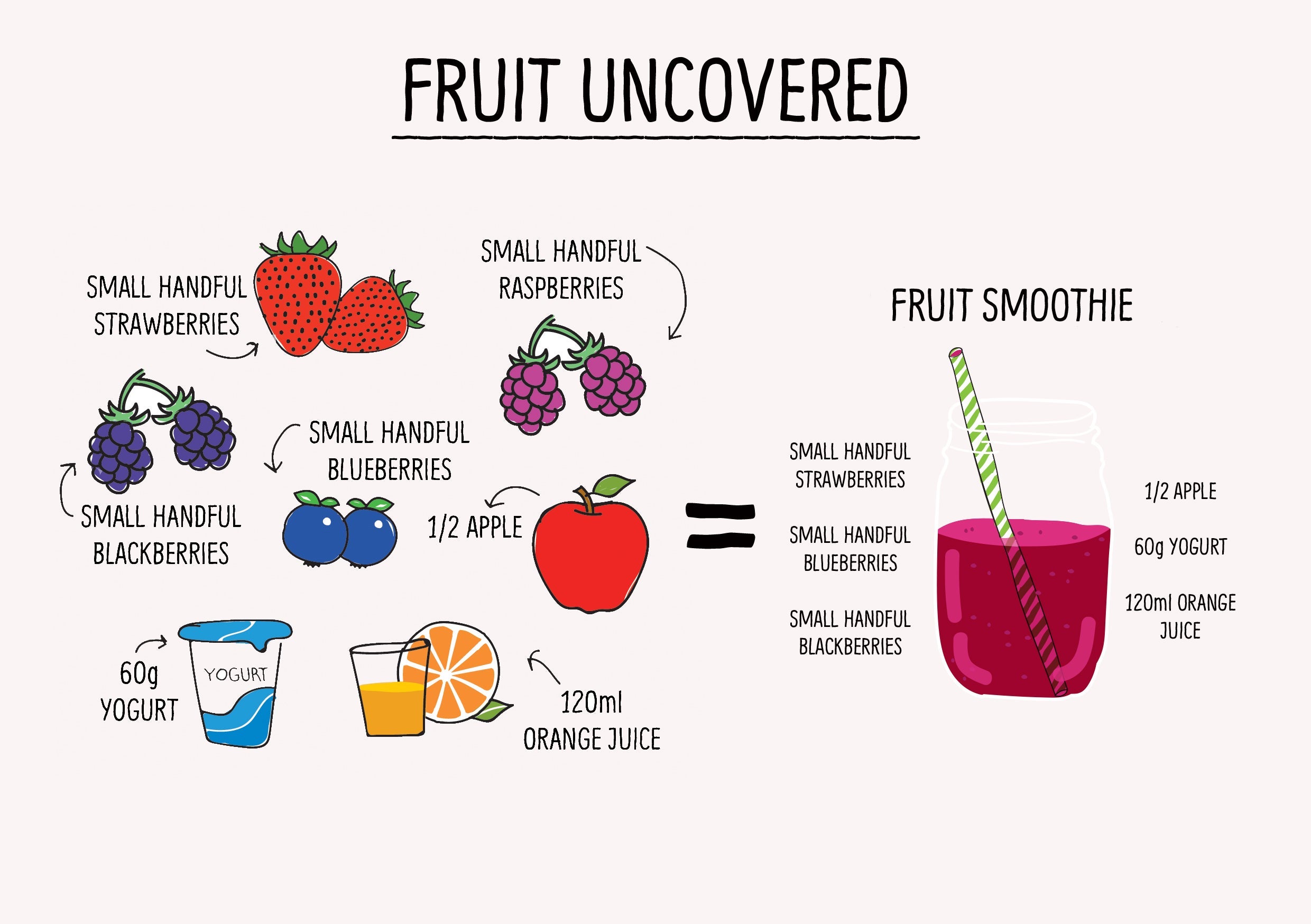
Take a look at the illustration below. It’ll take some time to eat all of the fruit on the left-hand side and afterwards, you’ll probably feel like you ate a full meal.
Now imagine if you puréed all that down and drank it. That smoothie would be gone in a few sips. You might even decide to throw in another banana, and then some more strawberries, maybe some more yogurt and juice just to fill the cup…(you see where this is going, right?) And because blended fruit has less fibre than whole fruit, you may get hungry sooner, and be more likely to eat more later.
The bottom line? If it’s something you’ll drink, like a juice or smoothie, it will have a Points® value. If it’s something you’ll eat, like salsa, sauce, stew, or soup, it won’t.
How to track a smoothie
In order to track fruit as part of a smoothie, you'll need to create a recipe (which is super quick and easy to do!).
On iOS
Tap the search bar at the top of the home screen.
Use the slider directly below the search bar to find My Food (the second-to-last item in the row).
Tap Recipes, then Create in the top-right corner.
Name your recipe, add the ingredients, then tap Add More Details.
Make sure to set this recipe as a drink.
Tap Create.
On Android
Tap the search bar.
Scroll across the row below the search bar and select My Food.
Tap on Recipes.
Tap the three dots in the top-right corner.
Choose Build a Recipe.
Name your recipe, add the ingredients, then tap Add More Details.
Make sure to set this recipe as a drink.
Tap Create.
On WW.com
On your My Day page, click Create in the top-right corner.
In the drop-down menu, choose Recipe.
Name your recipe, add the ingredients, and make sure to select the “This is a drink” option.
Finally, click Create Recipe.
References
¹Cassady BA, Considine RV, Mattes RD. Beverage consumption, appetite, and energy intake: what did you expect? Am J Clin Nutr 2012;95:587-93.
²Migquel-Kergoat S, Axais-Braesco V, Burton-Freeman B, Hetherington MM. Effects of chewing on appetite, food intake and gut hormones: a systematic review and meta-analysis. Physiol Behav 2015;151:88-96.