How do I maintain weight loss?
Behaviour technique

The same habits that help you lose weight also help you keep it off. And in the app, you’ll have a slightly higher Points Budget. So, if you’re nearing your goal and almost ready to switch to maintenance mode—congrats! But if you still have a ways to go, making well-timed, intentional pit stops along your journey can actually help you in the long run. Here’s how to map out a plan.
Try this!
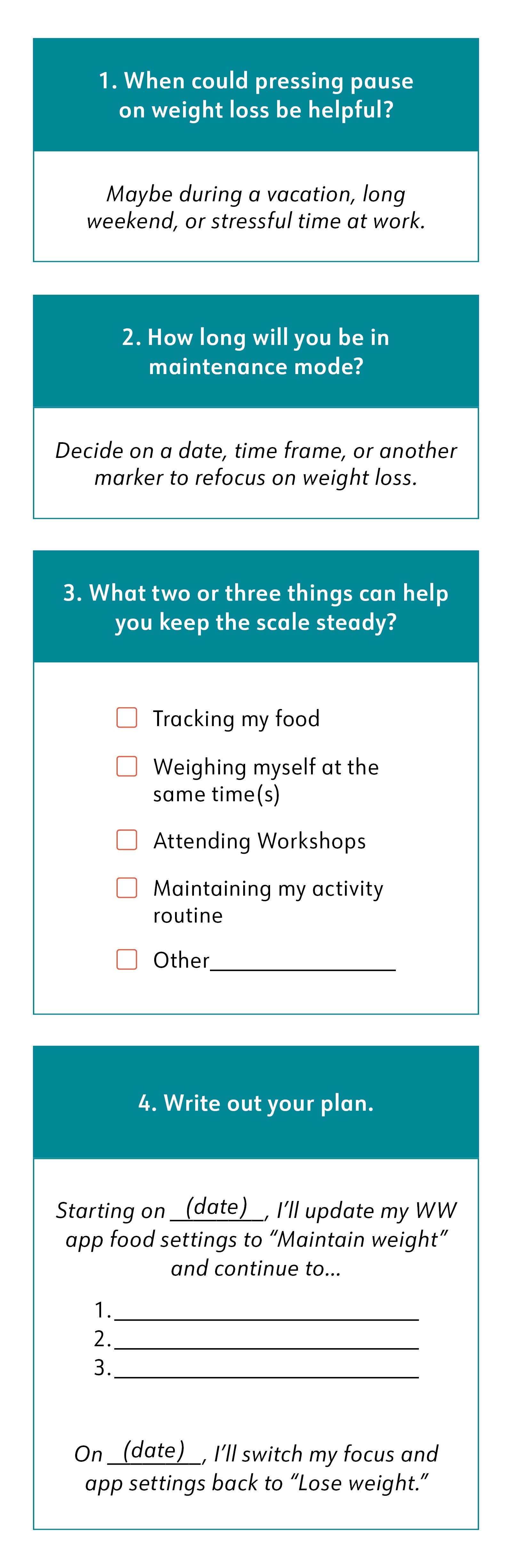
Let’s dive a little deeper…
How to set your app to maintenance mode
Tap the Menu (three lines in the upper-left corner) then Settings.
Tap Food Settings then Current Focus.
Tap Maintain Weight. Your daily Points Budget will automatically adjust.
Life doesn’t always play nicely with our weight-loss goals. Vacations, long weekends, work stress, or even just a bout of the blahs can make your journey feel extra tough. We’ve got plenty of strategies for navigating rough roads—and taking your foot off the gas is one of them.
We’re not suggesting you shift to maintenance every time life, well, lifes. But sometimes you need a break. Weight loss is part of your life, not your entire life. Take the pause, but make it easier to pick up where you left off by having a plan, setting a restart date, and committing to weight-steadying behaviours. Think of it as goal insurance.
We get why so many members ask about maintenance—it’s exciting to think about reaching your goal and what comes next. But maintenance isn’t just for the end of the road. Pressing pause when you need it can set you up for success on the remainder of the journey. Just remember there are still so many non-scale victories to celebrate during a pit stop, including having the courage to put weight loss on hold.